
Aviator Rules: A Guide to Live Stakes and Game Limits
Read the rules for your active game, from accepted cash-outs to connection loss and configured limits.
Enter your stake while betting is open, then cash out before the flight ends. In the official client’s example, a displayed crash of 1.25× means the multiplier reached 1.24× before stopping. For lost connections, check the active game’s policy: the client contains two different rule variants.
When a stake becomes live
The displayed crash marks the end of that flight.
| Example from game wording | How the bet is treated |
|---|---|
| Crash displayed at 1.25× | 1.24× is the value reached before that displayed crash |
| Automatic target 1.50×, crash 1.50× | A target equal to the ending value loses |
| Exit accepted before the crash | Stake multiplied by the accepted cash-out multiplier |
Matching a history value with an automatic target can still leave you with a loss: the crash boundary is too late. Read the exact-tie rule. Delays can also make the accepted cash-out differ from the button’s displayed amount. The dated demo session recorded script-driven exits that missed; those results concern script delay, rather than a test of human reflexes.
Settlement at the flight boundary
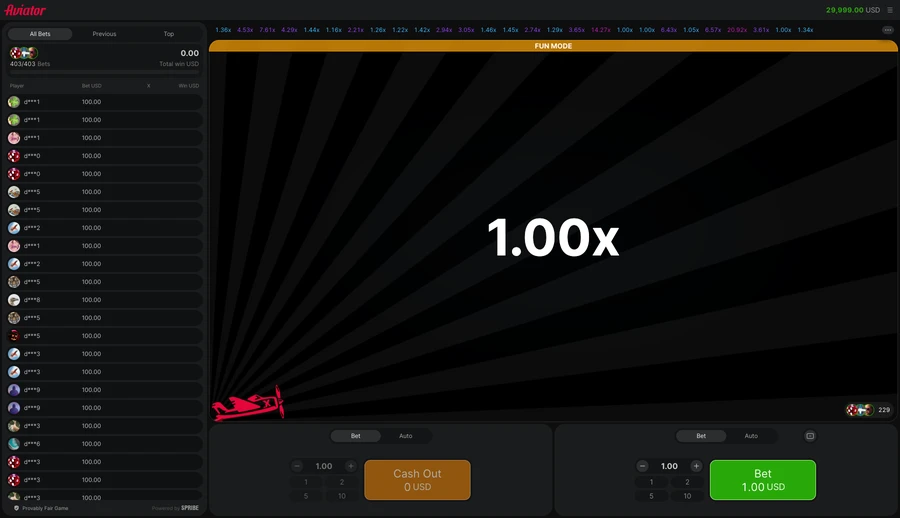
The displayed multiplier climbs after take-off. The rules captured on 14 November 2026 let you place or close a bet without knowing when the flight will end, with the stake multiplied by the accepted exit value for a paid bet and the full stake lost if the plane leaves first. The rising amount remains at risk.
- Set the stake by typing it, selecting a preset or using plus and minus. Submit it with “Bet” while the entry window is open.
- Cancel withdraws the bet before take-off. During the flight, use “Cash Out” instead.
- Cash out a live stake before the plane leaves, then check the accepted result in your bet record.
Follow the worked round for the full sequence. For example, R10 accepted at 2.00× pays R20 including the original stake, giving R10 profit. These example amounts explain result rather than recommend a stake. Read the actual game limits before betting.
Interrupted internet access
Read the disconnect policy in the game you open. Two alternatives appear in the same client language file, giving different treatment to an active stake.
| Source version of the rule | What happens to a stake already live | Scope |
|---|---|---|
| Disconnect variant A | Automatic cash out at the current multiplier, with the return added to balance | Read the active game’s disconnect policy |
| Disconnect variant B | Bet lost unless cash out or the maximum win amount has been reached | Read the active game’s disconnect policy |
| Hardware or software malfunction | Void the affected settlements and return their stake costs | Separate malfunction rule |
| Unfinished game | Settled by an automatic exit | Separate short client statement |
Apply that game’s connection terms with its result rules to a dropped signal. A lost connection does not automatically entitle you to a refund. If you dispute the result, keep the round ID, bet record and error message. Ask the bookmaker which rule applied before placing another bet.
Currency beside each limit
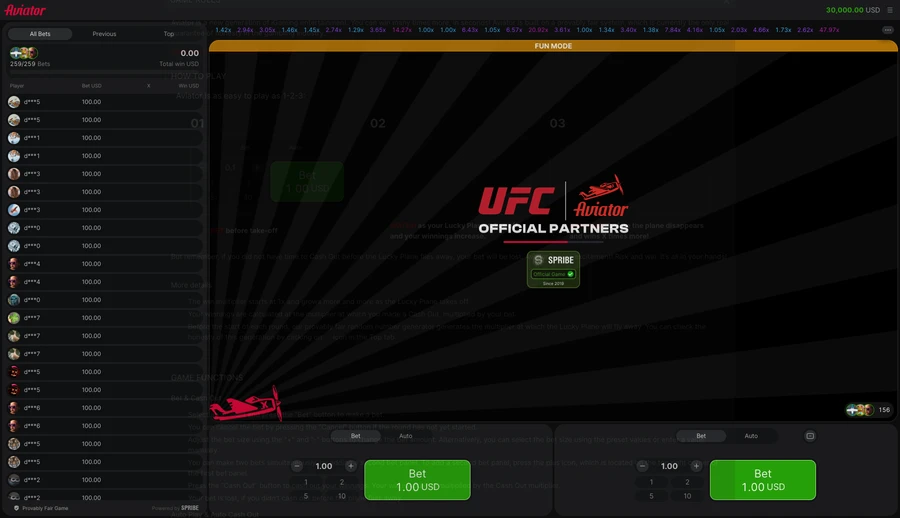
Open Limits for the stake range with the payout cap set in that game. The official demo image dated 20 November 2026 shows the figures below in virtual USD. They set out that demo, rather than paid play at another site.
| Row in the new Limits capture | Amount shown | Scope of the figure |
|---|---|---|
| Minimum bet | USD 0.10 | Lowest permitted virtual-credit stake |
| Maximum bet | USD 100.00 | Highest permitted virtual-credit stake |
| Maximum win for one bet | USD 10,000.00 | Ceiling on one virtual bet’s payout |
Spribe’s product page uses the maximum-win label “Unlimited”. The client has separate labels for a money cap and a multiplier cap; read the set values under Limits. Its rule says reaching the money cap triggers automatic cash-out. Keep a money ceiling separate from a multiplier target: one caps the payout, while the other chooses an exit.
The minimum-bank sum is the minimum bet multiplied by 1.01, using the active game’s currency and amount. In a South African account, read the rand stake band alongside the payout cap in the logged-in panel. Check the currency beside each value before using any demo USD figure in paid play.
Moving between rooms
The game selects a room randomly at the start of a session. Switching through Game Room restarts it. According to the dated client evidence, each room has its own seeds; compare a saved hash with the result from that same room, rather than a flight in another one.
- The single-session notice says opening a second browser window can end the session already running.
- A set period of inactivity ends the session. Read the interval in the game’s rules.
- Regional restrictions can block access or limit which currencies the game accepts.
- A suspicious-use notice can refuse an action without giving public decision criteria.
Check the bet record alongside any restart or refusal message. These notices explain session access. If access is blocked, stop rather than looking for a route around the restriction.
Three separate money limits
Method: the official Spribe demo images and retained session ledger dated 20 November 2026 were compared; the table records only visible controls or logged results.
| Captured item | Observation | What can be concluded |
|---|---|---|
| Money fields | Minimum bet; maximum bet; maximum win | Three displayed rows |
| Currency | USD | All three figures belong to the demo |
| Multiplier-cap row | Absent from this panel | The image does not state a multiplier ceiling |
The check separates the three visible money limits from the optional multiplier-cap label found in the client text. A money cap cannot be read as a maximum flight multiplier. The current bookmaker panel is the place to read the limits applying to a rand stake.
Account checks outside round settlement
Revealed seeds let you inspect a completed flight. That leaves payment handling, account access and result rules as different questions. Read RTP and expected loss to see why a theoretical rate differs from the return in a short session.
Before paid play, make sure you understand the connection-loss terms, the stake currency and account access. Leaving a bet unplaced avoids risking money under hard to read terms. Adults should set a time limit with a loss cap beforehand; neither refund provisions nor automatic exits remove the possibility of a lost stake.
Player rating
Comments
Create a site account or sign in to comment.
Frequently asked questions
Can you cancel a bet after take-off?
No, Cancel works before the round. Once the plane is flying, an accepted Cash Out before the crash settles an active bet.
Will a lost internet connection refund the bet?
No automatic refund follows from an interruption. The client has two disconnect variants, plus a separate malfunction void-and-refund rule. Read the enabled policy.
Does “Unlimited” remove every payout cap?
“Unlimited” is Spribe’s product-page wording. The game you open can still apply a money cap or configured multiplier limit.
Do the USD demo limits apply everywhere?
No, those dated amounts belong to the virtual demo. Read the active client’s currency with its configured limits.
What evidence was used to check the rules?
Official client wording captured on 14 November 2026 was compared with dated demo images. The checks covered no active paid game or current disconnect configuration.
18+ only · Set limits
Gambling involves risk. Gambling is not an investment.
Set a time limit with a loss budget. Take breaks and leave essential money aside. Read about limits and support.
No published comments yet. Describe your experience of the game.