
Aviator Auto Play: Plan the Cost Before Starting
Choose the run length and stop conditions, then keep track of any stake already accepted.
“Auto Play” places Aviator bets repeatedly for the round count you select, with optional stops. Balance gains, balance losses and individual payouts each have a distinct stop condition. Repetition saves button presses, but every entry risks another stake. Stops decide when repetition ends; they cannot ensure profit.
Price a complete run first
The client says reaching the chosen round count ends Auto Play by itself, giving the run an endpoint while leaving each bet’s result open, so the same stake can keep appearing on the panel even as the total amount spent grows through repeated entries. Watch the whole run’s cost. Each entry still has its own stake.
| Setting | What the client states | Check in the active game |
|---|---|---|
| Bet amount | Choose the stake before repetition; automatic entry uses that amount | The game setup defines the permitted entry range |
| Number of rounds | Select a count from the menu; completing it ends repetition | Read the counts available in this client |
| Stop conditions | Choose the permitted stop triggers | Check threshold values and how combined stops behave |
Open the repetition settings
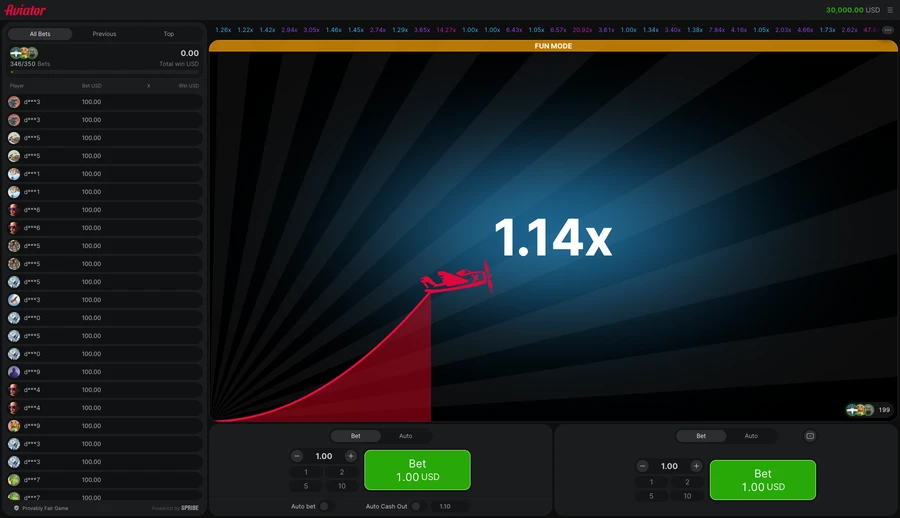
Find Auto Play in the bet panel’s Auto tab. Press its setup button, choose from the offered round counts, then select one or more stops. Check the current options before starting. When changing rooms, read them again: the new room’s choices determine the run length, rather than whatever was available in the previous room.
Set the bet amount before the run; the client repeats that stake automatically. The same tab also has an Auto Bet checkbox. Keep that checkbox apart from the Auto Play setup button, which opens the round-count and stop controls described here.
Measuring a balance change
Stop if cash decreases by tracks a balance fall of the amount you select. Stop if cash increases by tracks a rise. Read the values offered on screen, then check how the game treats a stop reached while a flight is still live.
A balance threshold controls further entries. Before treating it as a spending boundary, read settlement timing, both panels’ active stakes and how competing stops are ordered. Check that the balance-stop currency is rand in your South African account. If the displayed terms are unclear, keep repeated betting switched off until you understand them.
A payout can trigger the stop
Stop if single win exceeds applies to one payout above the selected amount. A payout after earlier losses can trigger it even while the whole run is down. The rule says exceeds, rather than equals; check the active client’s treatment of a win exactly on your threshold before depending on this stop.
| Trigger that ends repetition | Quantity the trigger evaluates |
|---|---|
| Cash decreases by | The chosen amount of money has left the balance |
| Cash increases by | The balance has gained the chosen sum |
| Single win exceeds | A single returned payout exceeds the threshold |
| Chosen round count | All selected repetitions have finished |
| Stop button | The player ends automatic repetition |
End the sequence yourself
The client says pressing Stop ends Auto Play. After stopping, look for any stake already accepted into a round. Ending repeated entry leaves that live bet needing a separate settlement check.
Set exit targets separately from repeated entries. The automatic exits guide explains targets with the exact-tie rule. Check both sets of settings before a run. After pressing Stop, check the status of money already in play.
Balance and payout thresholds compared
Method: the official client messages captured on 14 November 2026 were grouped by the condition each describes.
| Captured item | Observation | What can be concluded |
|---|---|---|
| Entry control | Auto tab → Auto Play | Setup is separate from Auto Bet |
| Balance stops | Decrease or increase | Two measures of balance change |
| Single-win stop | Win exceeds the selected amount | One payout, rather than net session profit |
The wording provides three optional stop conditions plus a separate round-count endpoint. That is an inventory of documented controls, with no run or stop trigger executed. Numeric thresholds belong to the active setup, so this comparison supplies no preset spending limit.
Repeated bets spend the balance
- Repetition can make it harder to notice how much you’ve spent.
- One paid bet can sit within an overall losing run.
- After Stop, check settlement for every previously accepted stake.
Leave Auto Play off if repeated rounds make time or spending harder to track. The betting systems guide prices that exposure. Choose a time limit before playing; if monitoring the run becomes difficult, stop. Increasing a stake to recover losses adds risk.
Player rating
Comments
Create a site account or sign in to comment.
Frequently asked questions
Can Auto Play select a round that will pay?
No, the feature repeats bets using your settings. It cannot forecast a result or ensure a profit.
What stopping rules does the client list?
The listed stops cover a balance fall, a balance rise and one win exceeding your selected amount.
Does triggering a single-win stop mean you are ahead?
No, earlier losses can outweigh an individual payout. The net result includes every settled bet in the run.
Can you stop a run yourself?
Yes, press Stop to end repetition. Check any stake accepted before that separately; ending entries is different from settling a live bet.
What evidence supports the stop-setting guide?
Spribe’s instructions were checked against the retained virtual-credit captures. It explains the documented controls rather than reporting a new executed run or stop trigger.
18+ only · Set limits
Gambling involves risk. Gambling is not an investment.
Set a time limit with a loss budget. Take breaks and leave essential money aside. Read about limits and support.
No published comments yet. Describe your experience of the game.