
Aviator Auto Cash Out: A Guide to Accepted Targets
Set the exit instruction before play, then understand when a target still leaves the bet lost.
An automatic target submits the exit when that value is reached before the crash; a shorter flight loses the stake. An exact tie loses: the official client illustrates this with 1.50×. You avoid a button press, but the whole stake remains at risk until cash-out succeeds.
A matching crash still takes the stake
The client treats a crash matching your target as a loss, even if that value appears in history. Its example sets 1.50× and crashes at 1.50×. That stake is lost in full. Setting a target before take-off gives you no claim to that amount.
| Event during the flight | Rule stated by the game | Effect for the stake |
|---|---|---|
| Crash before target | Flight ends before the chosen exit is available | The open amount is still fully exposed |
| Flight ends on the target value | Equal crash and target values lose | Identical displayed numbers are insufficient for settlement |
| Successful cash out | Multiply the stake by the exit value that was accepted | The paid exit and final flight value can differ |
Choose the exit before betting
Open the panel’s Auto tab to find Auto Cash Out. Once enabled, the control uses your entered multiplier as its target. You have chosen an instruction, rather than secured a payout. The plane can still leave before the target becomes payable.
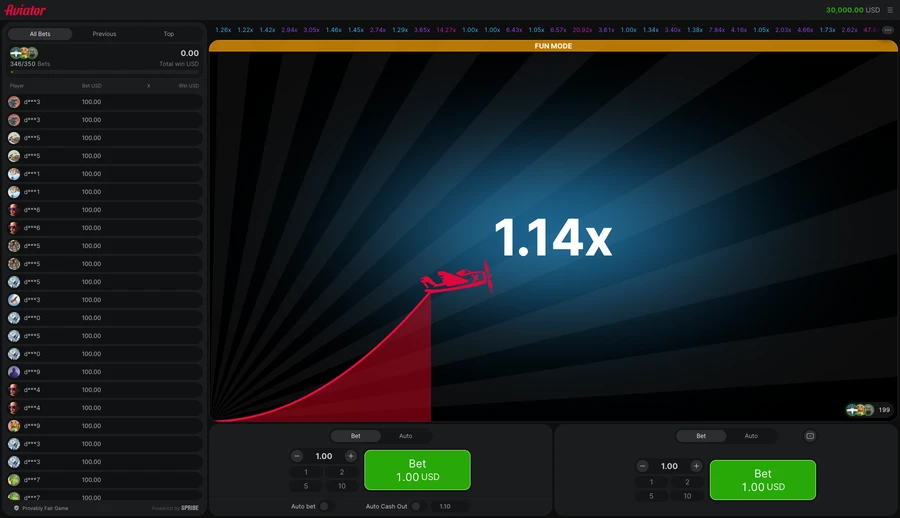
Check the stake before submitting it. The step-by-step round locates the ordinary controls. The dated demo image here shows a live Cash Out button, placing the exit stage on screen; it shows a manual exit, with no automatic target test.
Displayed decimals and settlement
A separate display rule explains the boundary: a crash labelled 1.25× means the flight reached 1.24× before stopping, so treating the final label as a price at which you could still cash out would confuse the end of the round with the last point reached. The figures explain settlement. Their past values cannot establish the next exit point.
Your stake determines the size of a settled return: multiply it by the accepted cash-out multiplier. The later crash label can be higher after your bet has already closed. Comparing those two values compares different moments, rather than showing a missing payout.
Targets the panel accepts
Read the target range accepted by the Auto field in your logged-in South African game. Then check the stake exposed when the bet enters the flight. A range copied from a catalogue may describe another bookmaker’s setup; use the active control before choosing a target.
- The plane can leave before reaching your target.
- A crash matching the target still loses under the client’s rule.
- Check acceptable target values in the actual field you will use.
When a money ceiling ends a bet
The client describes a separate automatic cash-out when winnings reach or exceed the configured maximum-win amount. Each bookmaker supplies the currency value in that message. Read it on the current Limits screen. That money-cap exit differs from choosing a multiplier target, so one setting cannot show the other setting’s range.
Separating an exit from a round result
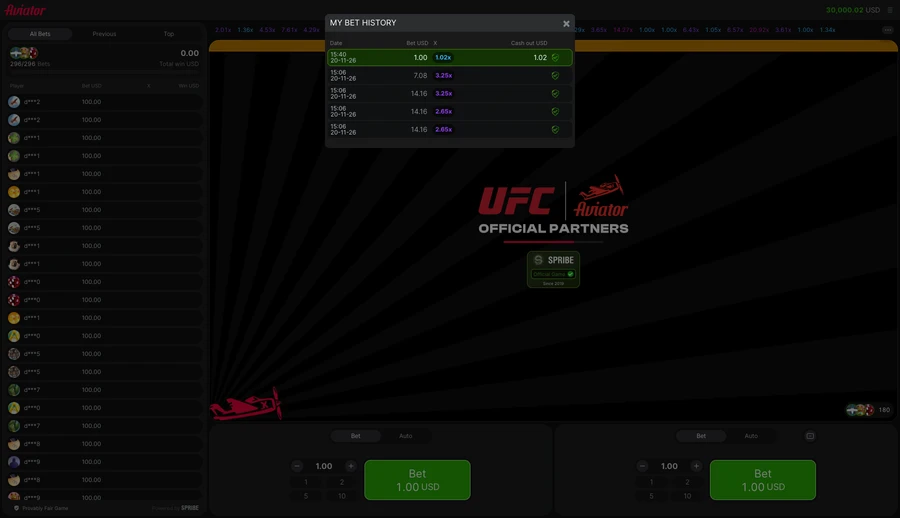
Method: the official Spribe demo was captured on 20 November 2026; the newly placed bet, displayed history and revealed round inputs were recorded separately.
| Recorded item | Value | Meaning |
|---|---|---|
| Manual exit | 1.02× | USD 1.02 returned on USD 1.00 |
| Flight ended | 2.01× | Shown by the matching round record |
| Auto tab | Separate switches | Auto Bet and Auto Cash Out are distinct controls |
This session used a manual exit. It records no measurement of automatic settlement speed or polling frequency.
Disconnection and accepted requests
Check the active game’s disconnect rule before betting. The client has two variants, explained under disconnect rules. Cutting the connection is a poor substitute for using a cash-out control; read which policy covers an open stake.
Automatic targets remove a repeated button decision while leaving crash risk in place. The staking plans guide prices what repeated entries expose to a loss. Keep the bet within your loss budget. If an error obscures its status, stop before placing more money.
Player rating
Comments
Create a site account or sign in to comment.
Frequently asked questions
Does an automatic target pay at an exact tie?
No, the client counts a crash exactly on the chosen target as a loss.
Can Auto Cash Out prevent a short flight?
No, an earlier crash can take your stake before the target is reached.
Where do you find the accepted target range?
Read the permitted values in the active client’s target field before entering the multiplier.
Is the maximum-win exit the same as your target?
No, the client describes a separate automatic exit triggered by the configured maximum-win amount.
What was compared to check automatic exits?
Official client rules were read against dated demo frames, keeping chosen targets, exact-tie losses and maximum-win exits distinct.
18+ only · Set limits
Gambling involves risk. Gambling is not an investment.
Set a time limit with a loss budget. Take breaks and leave essential money aside. Read about limits and support.
No published comments yet. Describe your experience of the game.